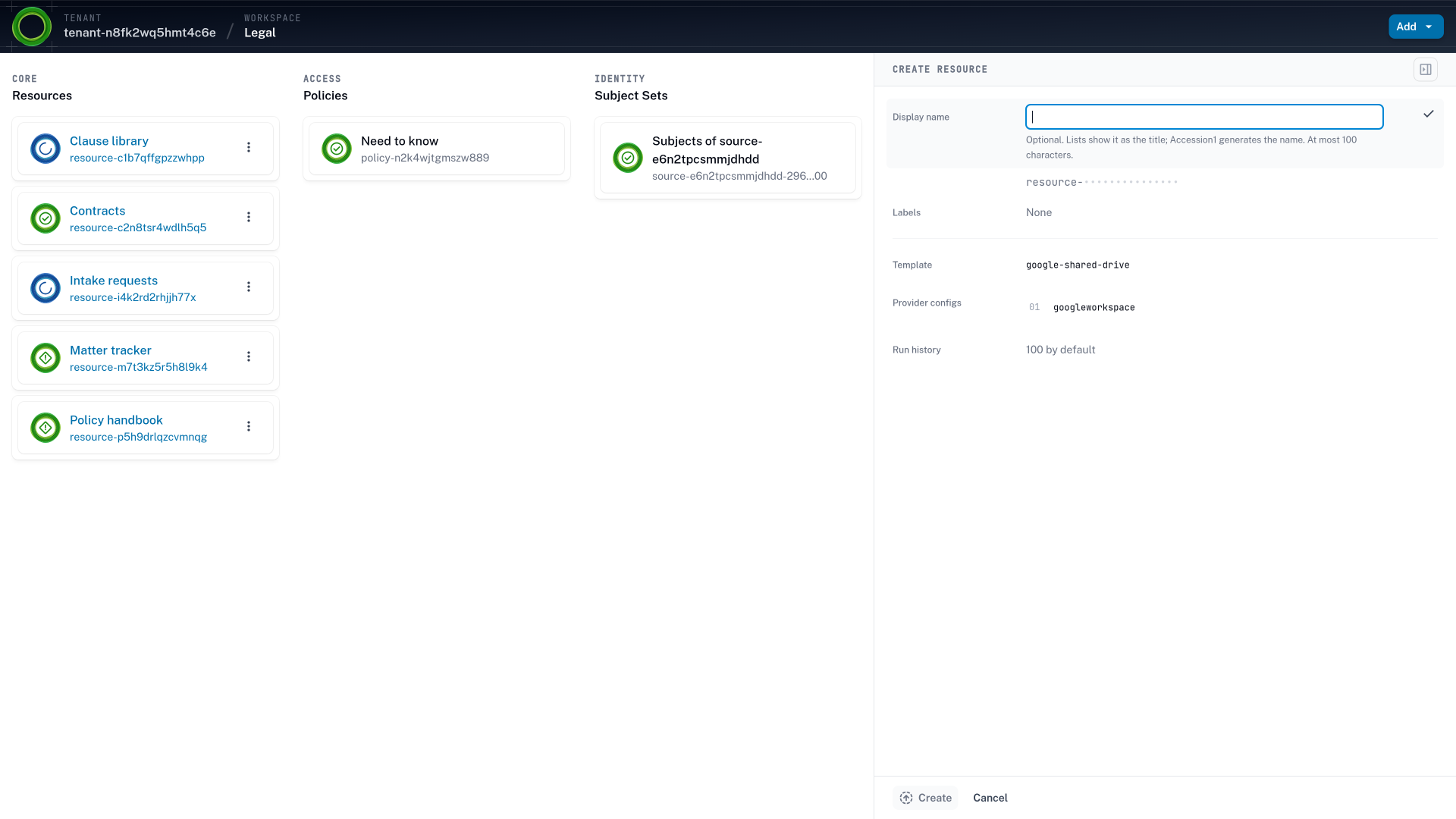
The Legal workspace in Accession1 with the empty create form for a new resource open in a drawer, its template set to google-shared-drive, beside the workspace's resource list
A workspace member creates a shared drive from the Legal workspace's catalog. The template google-shared-drive is one administrators approved for this workspace, and the access policy for the drive is written in the same step, so the drive and the team's access to it exist together and the second ticket never does.

Request fulfillment Every request is fulfilled halfway.

A request asks for a drive, a channel, a repository, or a cluster. It is filed by the team that needs it, by the pipeline that deploys for it, and now by the agents the team adds. Whoever picks it up answers with part of the picture. The team’s access to the result follows as one more request.

  1. The queue Routine requests.
    Waiting their turn.

    Most requests are routine, and each one waits its turn in the same queue. An IAM team answers requests for Google Drive folders, Slack channels, and HubSpot seats in the order they arrive.

    With Accession1, workspace members provision resources and their access from an approved catalog, so routine requests skip the queue.

  2. The manual share Shared by hand.
    Reviewed a quarter later.

    A ticket ends when the drive exists, and the team’s access is left to the requester. A team lead gets a shared drive by ticket and shares it with twelve people from the drive’s own sharing dialog. No rule produced those grants, and the first time anyone asks why is the review a quarter later.

    In Accession1 you create the drive and its access policy in one step, so every grant has a rule.

  3. The request portal Approved in an hour.
    The drive waits a week.

    An access request portal approves access to resources that already exist, and the resource itself is a ticket in another queue. A finance team requests access to its new budget drive, and the manager approves in an hour. The drive waits a week in the other queue, and when it arrives, the team’s access is one more request.

    Accession1 helps you provision the resource and its access in one request, so nothing waits for the drive.

  4. Cloud projects A new service, three reviews.
    A personal account meanwhile.

    The infrastructure team reviews each request by hand to keep production safe. A product team needs a MongoDB Atlas cluster, a GitHub repository, and a Datadog dashboard for a new service, and the reviews take three weeks. A developer starts a database on a personal cloud account instead.

    Using Accession1 the team provisions all three from the catalog, and the infrastructure review lives in the templates.

  5. Coding agents A bug fixed in minutes.
    A token for every repository.

    A scoped token takes an administrator, so coding agents run on personal access tokens. A staff engineer has a coding agent fixing a bug in minutes, on a token that writes to every repository in the organization. A prompt injection in one dependency’s README can push to any of them.

    In Accession1 the engineer adds the agent, and it gets its own identity and less than the engineer holds.

How it works Set the limits once, and teams serve themselves.

  1. Step 1: Administrators write the rules

    Administrators set each workspace’s limits from drafts the AI assistant makes from your organization’s context. The limits exist before the first request.

  2. Step 2: Teams and agents provision on their own

    A workspace member, or an agent working for one, creates a repository, a shared drive, or a cloud project from the workspace’s catalog, without administrative rights and without a ticket. The resource carries the labels the AI assistant proposed from the day it exists.

  3. Step 3: Teams write their access policies

    Workspace members can’t be expected to be IAM experts. They say what a resource is for and who needs access to it, in business terms, and the AI assistant drafts the access policy from that. The access policy is written in the same step as the resource.

  4. Step 4: The catalog grows a module at a time

    A target system is integrated into the catalog through an OpenTofu module, including the modules your infrastructure team already maintains. The drive, the repository, and the cluster a team asks for next are provisioned the same way.

  5. Step 5: Reconciliation keeps it current

    Continuous reconciliation keeps resource configuration and grants in line with the access policies as people, agents, and resources change, so drift is corrected on the next change.

The ITSM queue, held together by the people who run it

IT and IAM teams keep the queue moving with runbooks, a spreadsheet of who approves what, and the knowledge of whoever has been there longest. Most requests are still answered within the week, and that is down to those people rather than the queue. Whoever picks up a ticket sees part of the picture, so an aspect a colleague would have caught is missed, and configuration drift accrues one ticket at a time. The identity provider, the ITSM tool, and the target systems each do their part, and a person connects them for every request, partly by hand in a console and partly through infrastructure as code.

That held while requests grew with headcount. It stops holding once teams add agents, because an agent that reasons in seconds and waits days for access gets handed a person’s token instead, with everything that person can reach.

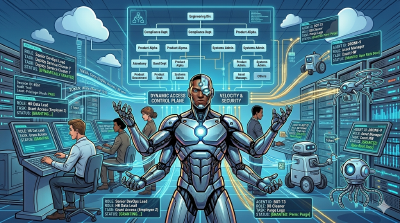
Accession1 is self-service provisioning of resources and access for people and AI agents. Teams provision what they need from a catalog administrators approve, and Accession1 keeps each resource and its access in line on every change.

A faster ticket queue still leaves static grants

The tempting fix is to speed the queue up, with more automation in the runbook or an AI agent answering the tickets. Both close tickets sooner, but both apply the same static grant a person would, because the ticket is the trigger. A support team’s triage agent gets its Zendesk token sooner, and the grant still outlives the reason it was filed for.

In Accession1 the trigger is the change itself. Any of these sets off reconciliation: a shared drive provisioned with a confidentiality label, a hire your identity provider sends as a SCIM create request, or an access policy a workspace member edits. Reconciliation then grants and revokes in every target system without anyone filing anything. A new hire or a new agent gets what its place calls for on day one, before it has a history for anyone to look at. An agent gets less than the person it works for.

Identity governance that provisions, too

Access to a resource is configured on the resource, in the target system, so there is nothing to configure until the resource exists, and a resource is worth nothing until the team can reach it. A ticket asks for the resource, whoever creates it gives the requester access, and the request ends there. The requester then shares it with the team manually in the target system, with no rule behind the grants, or files additional requests as the team finds out who needs what.

Most identity governance and administration (IGA) tools manage access to systems and resources that already exist, and leave creating the drive, the channel, or the repository to a ticket. So a request workflow that got faster still stops halfway. The access is approved, the drive waits in another queue, and once it arrives, the team’s access to it is one more request.

A resource catalog fails from the other side. It creates the drive and leaves the access to the requester, who configures it manually in Google Drive. Governance then rests on a weak after-the-fact audit, which commonly leaves excessive permissions in place, and they become the risk the day an agent is granted access the same way. A resource created by hand also carries no classification until someone gets around to it, and nothing keeps the identity provider and the target system in agreement as the team, the rules, and the drive change.

Accession1 provisions the resource and its access as one flow. A workspace member picks the template, names the resource, and writes the access policy for it in the same step, through self-service provisioning. The team’s access exists the moment the drive does, as a rule that says what it is for and who needs access to it. The AI assistant proposes the classification labels the resource should carry, so governance starts at creation instead of at the next review. Every access policy starts from unprivileged defaults, so least privilege is designed in rather than trimmed later. Continuous reconciliation keeps both current whenever an identity, an access policy, or a resource changes, and the record an audit reads is the rule.

Engineering feels this first. The coding agent that ran on a token for every repository reaches only its engineer’s repositories, read-only where the engineer writes, and the CI pipeline deploys only to its own service’s namespaces. Both came from the catalog with their rules.

The labels also carry the cost center, the project, or the business unit from the start, and people arrive with the cost center your identity provider holds. Chargeback starts from the record of who owns and holds what instead of a tagging cleanup. Accession1 holds no cost data, and your billing tool reads the attribution.

From working the queue to curating the service catalog

Routine requests stop reaching IT, so the backlog stops growing with headcount or with agents. Your team spends the time on the catalog, the boundaries, and the risk tiers, where its judgment counts. That work is context-aware design. Access reviews run on the same rules, and so do joiners, movers, and leavers (JML). The next team that needs a cluster finds one in the catalog, or asks your team whether it should offer one.
What gets requested The tools behind most of your tickets.

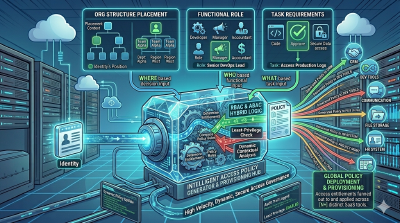
Most requests are for shared drives, chat channels, repositories, projects, clusters, and dashboards. Accession1 provisions through OpenTofu modules, one small module per system. Google Drive, Slack, GitHub, GitLab, Jira, Kubernetes, Google Cloud, AWS, Datadog, PagerDuty, MongoDB Atlas, and your internal systems are integrated the same way.

  • Microsoft Entra ID
  • Okta
  • Google Workspace
  • Google Drive
  • GitHub
  • GitLab
  • Jira
  • Kubernetes
  • Google Cloud
  • Datadog
  • PagerDuty
  • MongoDB
  • Snowflake
  • Grafana
  • Cloudflare
  • Databricks

Takeaways IT and security keep control of every grant.

Administrators set the ceiling
Administrators decide which identities, templates, and roles each workspace may use, and nothing a workspace member or agent creates reaches past that.
Rules written where the work is known
Administrators write the rules for the whole organization, and workspace members write the access policies of their own workspace, where the work is known. The AI assistant drafts for both from the same context.
Resource and access as one
A resource and the access to it are provisioned in one flow, so every grant names the rule that produced it and no second ticket is filed.
Templates are modules
Any target system with a Terraform provider can become a template, so adding a system to the catalog takes a module instead of an integration project.

Self-service provisioning Teams provision what they need from a service catalog you approve.

Workspace members and their agents provision a resource and the access to it in one step, from the templates and roles administrators approved for their workspace. The routine request never enters your queue, and the grant it would have produced exists with a rule behind it.

How self-service provisioning works

Frequently asked questions IT self-service FAQ

What is a provisioning bottleneck?

It is the ticket queue as the choke point, where requests for resources and the access to them can’t keep up with demand, so initiatives wait on it. A faster queue leaves the bottleneck in place, because the ticket is still what decides. Self-service provisioning removes routine requests from the queue altogether, within the limits administrators set.

What is IT self-service for access?

It lets the people who need a resource provision it and decide who on their team gets which role, without filing a ticket. In Accession1 that happens from a catalog of templates administrators approved, and the resource and its access are provisioned in one step. Self-service covers the drive and the team’s access to it, not one or the other.

How do AI agents use IT self-service?

An agent working for a workspace member provisions from the same catalog and inside the same limits as the people on the team. It gets an identity of its own and less than the member it works for, so nobody hands it a personal access token. AI agent access covers the identity and the owner.

How much of our ticket volume does this take off the queue?

The routine share: requests for a shared drive, a channel, a repository, or a cluster, and for the access to it. Count last quarter’s tickets of those kinds to size it for your organization. Incidents, changes, and anything outside the catalog stay in your ITSM tool.

Can't an AI agent answer our access tickets instead?

It answers them faster, but a faster queue is still a queue, and every revocation still waits for a request of its own. Why self-service on the agentic organization page explains why the trigger is the problem, not the speed.

Doesn't our access request portal already give us self-service?

It gives you one half. An access request portal approves access to a drive, a channel, or a repository that already exists. The resource itself stays a ticket in another queue, the request can’t be filed until it arrives, and when it does, the team’s access is one more request. In Accession1 the workspace member provisions the resource and writes the access policy for it in one step, so there is no second queue and no second request.

Doesn't a resource catalog already do this?

It does from the other side, and it loses the governance. A catalog creates the drive and leaves the access to the requester, who shares it manually in Google Drive. No rule produced those grants, so the only control is an audit after the fact. In Accession1 the access policy is written in the same step as the resource, so each grant on it has a rule from the day the resource exists.

Can a team grant itself more than it should?

No. A workspace provisions only from its catalog and grants only the roles administrators allowed it. An agent working for the team stays inside the same limit.

Is Accession1 an identity governance (IGA) tool?

Accession1 combines the capabilities of identity governance and administration (IGA) and IT self-service. It governs the access to the target systems it manages and provisions the resources in them, which governance tools leave to a ticket. Joiners, movers, and leavers, least privilege, separation of duties (SoD), and the record an auditor reads come from one access graph. The context records what your regulators and business units require, and the AI assistant drafts access policies inside it. Continuous reconciliation keeps every target system true to the graph, so a certification campaign becomes a review of that graph instead of a periodic hunt for what was missed. That holds because Accession1 provisions resources and access as one. Authentication stays with your identity provider.

Does Accession1 replace our identity provider or ITSM tool?

No. The identity provider stays the system of record, and it keeps the identities in Accession1 current with SCIM requests. Routine requests for resources and access leave the ITSM queue, and incidents, changes, and everything else stay where they are.

From the blog Posts on self-service provisioning.

All posts