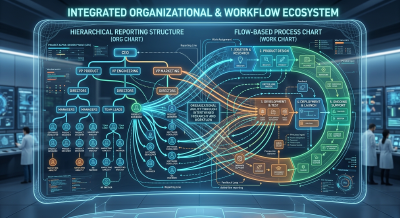
Why the agentic organization needs context-aware access control
AI agents get stuck at the same organizational boundaries people do. Why the agentic organization needs access control that understands how work gets done.

Philipp Strube
Let teams and their agents set up the drives, repositories, and roles they need, and automate every change that follows.
Correct access depends on institutional knowledge spread across your IT and security teams. They keep it working through experience and hard work. But each ticket is fulfilled by whoever picks it up, with part of that knowledge, so configuration drift builds up in your target systems one ticket at a time. AI agents add identities and access changes faster than any ticket queue can process. Accession1 is self-service provisioning of resources and access for people and AI agents. Your teams design one access graph of who may reach what, and every target system is reconciled to it as the desired state. Discovery tools build their graph from the current state and can only infer what it should be.
Administrators design the access graph from the context, as organizational structure, industry, laws, and regulations require, and refine it with what only your team knows. The result is workspaces that mirror how the organization actually works, with boundaries tight enough for your security requirements and open enough for self-service.
The AI assistant starts from public research about your organization and what is typical for your sector, and an administrator refines its findings one area at a time with what only your organization knows. Together they are the context.
From the context, the AI assistant drafts workspaces and their boundaries, a risk tier for each template, and the classification labels each resource is assessed for. Administrators shape the draft into the design that applies.
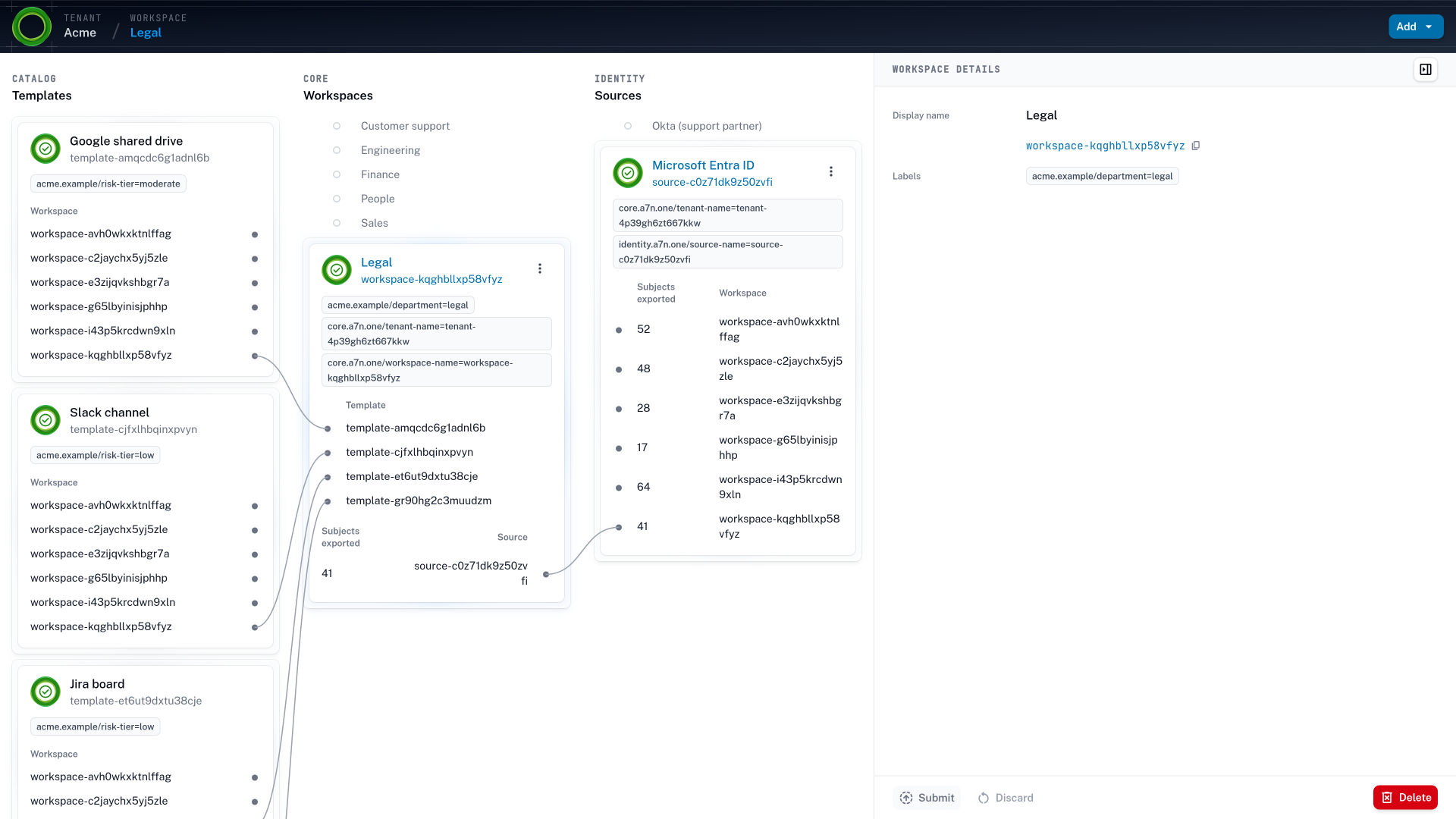
Point Microsoft Entra ID, Okta, or Google Workspace at Accession1 over SCIM. People arrive with attributes such as department, employment type, and location as labels, and your identity provider stays the system of record.
Administrators decide which identities each workspace receives and which templates and roles it may provision from.
The context is the record of the facts access depends on, and each fact says whether the AI assistant inferred it, found it in a public source, or your team established it from its institutional knowledge. The AI assistant also works from the templates, workspaces, and identity sources your tenant already holds, so a draft never ignores what exists.
The assessment starts from public research and what is typical for your sector, so the first draft already fits a logistics company in the EU or a law firm that keeps its clients’ work apart. An administrator then reviews it one area at a time and corrects it from what only long-standing team members know: which systems are critical, which data is sensitive, who owns what, and which partner gets which access. That review turns the spreadsheets, runbooks, and experience of your most senior people into facts the design rests on, instead of knowledge that leaves with them. As the organization changes, the AI assistant refines the context from sources such as audit logs and proposes changes to the graph that administrators take or leave. A reorganization updates the context and the graph together.
From the context, the AI assistant drafts the tenant level of the access graph, and administrators shape it into the one that applies. The identity provider’s attributes arrive over SCIM as labels on the same taxonomy, so a changed department or employment type means something for access.
Administrators decide what self-service may do: which identities each workspace receives from the identity provider, and which templates and roles it may provision from. That boundary is set once, where a ticket used to check the same thing by hand on every request.
Inside that ceiling, teams stop waiting on the queue, and self-service provisioning takes over.
Teams provision resources and decide access in their own workspaces, where the work is understood, so a person or an AI agent gets the roles their work calls for. That replaces the birthright baseline a new joiner starts with and the excessive permissions accrued since, a risk people rarely acted on and an agent can.
A workspace member picks a shared drive, a repository, or a Slack channel from the catalog and names it, without a ticket and without administrative rights. Accession1 creates the resource in the target system through its OpenTofu module.
With the AI assistant, the member writes the workspace’s access policy in business terms, such as managers for employees and contributors for contractors wherever nothing is confidential.
An AI agent added to the workspace gets an identity of its own, the workspace members as its owner, and a purpose. Its access follows from that placement, one level below its owner’s.
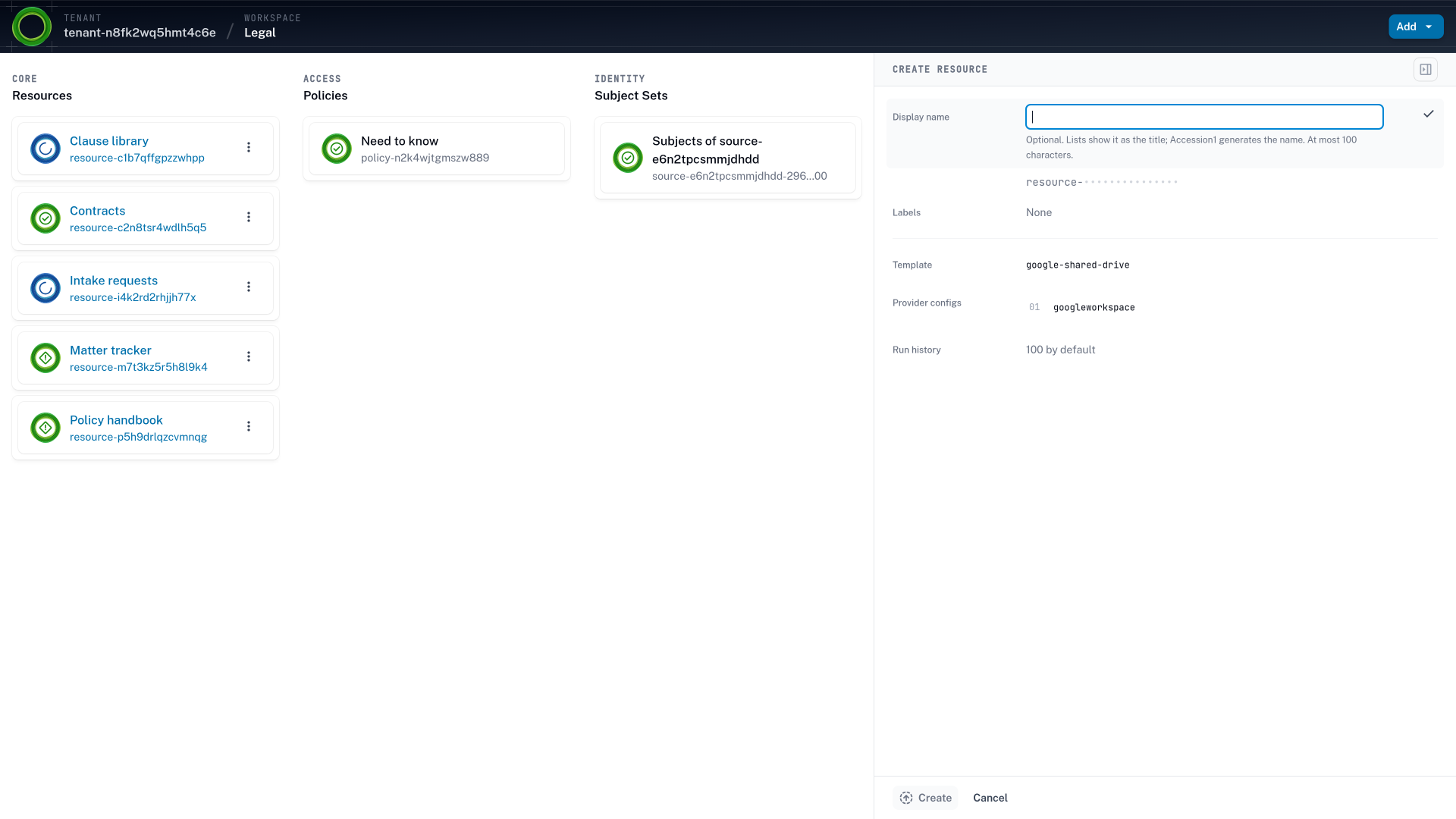
Access to a resource is configured on the resource, so the resource comes first. A provisioning ticket ends when the drive exists and the requester can open it, and the rest of the team gets access through a manual share or another request. Most access tools leave creating the drive or the repository to that ticket, so self-service stops halfway. In Accession1 a workspace member picks a template from the catalog, names the resource, and writes its access policy in the same flow. The OpenTofu module behind the template creates it in Google Drive, Jira, or GitHub, with its roles mapped to that system’s own permissions, so the team’s access exists the moment the resource does.
The member says who should reach the resource in business terms, and the AI assistant proposes the labels and the label queries. It drafts from the context administrators designed from and from the workspace’s existing resources and access policies. So the draft accounts for what the member wouldn’t have in view, such as a rule that already grants or a label another workspace uses differently. Every access policy starts from unprivileged defaults. The AI assistant also learns from how earlier self-service turned out in similar workspaces of your tenant, so the next member’s draft starts closer to right.
Inside a workspace is where the real knowledge lives: who does what, how the tools are used, and how the team works together. Access designed top down, from the org chart and job titles, is unspecific at best, and privilege creep sets in because access policies are written far from the work. Writing them in the workspace puts the decision with the people who know what a day of the work needs. The tenant-level boundaries are what make that self-service safe to trust.
An AI agent is a non-human identity (NHI) with the same lifecycle as the people it works with. It is added at one level and owned by the people there: the tenant’s administrators, a workspace’s members, or one person. Accession1 creates its agent identity through your identity provider’s native feature and records the owner. By default an agent gets its owner’s access one level lower in scope, read-only where the owner writes. The risk tier of the resource and of the agent narrows it further, so a sensitive resource can carry no agent role at all. A change that needs a privileged role goes through just-in-time elevation from the owner, and when the owner moves on, the agent’s access ends with them.
A person who needs a privileged role for one change, or an agent whose task needs a role its standing access doesn’t include, requests a temporary grant on top of what the graph derives. That grant is a just-in-time (JIT) elevation with an end date, and reconciliation removes it on that date whether or not a label changed. The elevation policy administrators write decides from the risk tier of the target system whether approval is automatic or comes from a workspace peer or a tenant administrator. Break-glass access is the emergency path of the same mechanism, granted quickly for an incident and expected to end with it.
An access policy matches labels on identities, from the attributes your identity provider holds, with labels on resources, from their template, their workspace, and your own classification. The industry calls this attribute-based access control (ABAC), and here it sits on top of each target system’s RBAC. The labels decide which role an identity holds, and the target system enforces the role as it always has. A role is granted while the labels match and removed when they stop, so the access policy says who the resource is for, never who was on the team the day it was written. Finer-grained roles become sustainable where a ticket queue could not keep up.
The access graph applies from the first day. Continuous reconciliation keeps it applied on every day after.
Accession1 turns access policies into grants and applies them to every target system whenever an identity, a resource, or an access policy changes. A new hire, a retired agent, or a drive marked confidential reconfigures access everywhere, without a ticket.
Setting up a resource and its access by ticket was the visible cost. The cost that lasts comes after the ticket closes, because keeping the identity provider and every target system in agreement as people, agents, access policies, and resources change is work no team can do by hand. Each of these changes sets off reconciliation, which grants and revokes in every target system.
A new account manager arrives in Microsoft Entra ID with the sales department. Instead of a baseline and an onboarding doc of people to ask, the sales workspace’s rules grant its shared drives, Slack channels, and HubSpot role.
An analyst’s department changes from finance to sales in the identity provider. The sales grants apply, and the finance access that came only from the old department is revoked.
The identity provider deactivates a contractor whose engagement ended. Every grant derived for them is revoked across target systems, and the team keeps its access, because that came from a rule.
A workspace member labels a shared drive confidential. The rule that keeps contractors out of confidential resources now covers it, and their access to that drive ends.
Administrators edit the rules and the workspace instead of migrating anything. Ownership and access move to the new team without recreating the resources underneath, so the data stays where it is.
An auditor asks who can read the customer contracts. Administrators query the answer from one API instead of exporting it from each system.
Reconciliation runs on any of these: a joiners, movers, and leavers (JML) change your identity provider sends as a SCIM request, a resource provisioned or relabeled, an access policy edited, or a boundary or tenant-level rule changed. It evaluates every access policy against the new state, grants where labels now match and revokes where they stopped matching, keeps each resource’s configuration as declared, and retries transient failures until every target system converges.
Because AI behaves non-deterministically, it stays out of reconciliation, so the result can be checked rather than trusted. The AI assistant answers questions about the access state, who has access to what and why, and never changes it.
Dynamic access management means a grant exists while the labels match and disappears when they stop. The change can come from anywhere in the organization: a team that splits in two, a department moved under another, or a resource whose owning team changes. So a reorganization is an access policy edit instead of a migration project, and pipelines and AI agents follow the same lifecycle as people.
Continuous governance means the record an auditor reads is current on any day instead of rebuilt for each audit. Each grant records one identity holding one role on one resource, derived from one rule, so administrators query the complete access state across target systems from one API. User access reviews (UAR) still decide whether the rules are right, but they no longer start by hunting for stale grants.
| Identity | Role | Resource | From the rule |
|---|---|---|---|
| Dana Whitfield | manager | Contracts | Employees, every resource |
| Dana Whitfield | manager | Clause library | Employees, every resource |
| Ravi Menon | contributor | Clause library | Contractors, not confidential |
| Ravi Menon | contributor | Intake requests | Contractors, not confidential |
Administrators and workspace members keep the access graph current, and reconciliation keeps every target system in line with it. The trigger is the change itself, never a request or a usage report.
Every access process answers one question: what may this identity reach right now? The processes differ in what makes them answer it again.
A request is only as current as the last ticket, and a usage report only as current as the last trim. In Accession1 the change itself is the trigger. A faster queue doesn’t change that, even one an AI agent works through, because the ticket still decides. A graph discovered from logs doesn’t either, because a tool that only sees the current state has to infer the desired one. The designed graph is the desired state, and reconciliation converges every system to it on every change, so what has drifted is corrected and new drift doesn’t accumulate. That declarative model is how Kubernetes and infrastructure as code won for infrastructure, and Accession1 brings it to identity and access management.
Configuration drift is the gap between how a resource and the access to it are configured in a target system and what the current work calls for. It accrues one ticket at a time, because each change is made by someone with part of the knowledge and nothing revisits it. Detecting it takes a desired state to compare against. Tools that don’t provision resources and access only see the current state, so they infer the desired state from logs and alerts. In Accession1 the access graph is designed from the context, and continuous reconciliation applies it to every target system on every change. So what has already drifted is corrected, and new drift is corrected on the next change instead of accumulating until a review.
Context-aware and conditional access policies in your identity provider apply context to one event, a sign-in, from signals such as the device, the network, and the risk of the session. Accession1 carries context end to end. Its context helps administrators and workspace members design the access policies that match identities to resources, and continuous reconciliation pushes the resource configuration and access controls that result to each target system. The identity provider decides on the sign-in, and the two work together.
Each target system is integrated through an OpenTofu module your team reviews like any other infrastructure code. The access graph is declarative: administrators and workspace members design the desired state, and continuous reconciliation applies it to every target system. The API follows Kubernetes conventions, so a technical team or an administrator can also automate workspaces, resources, and access policies with tools from the Kubernetes ecosystem or with Terraform.
A human is in the loop at both levels. AI never decides a grant. The AI assistant collects the context, drafts the design for administrators to approve, helps workspace members write access policies, and answers questions such as who has access to what. It never takes part in reconciliation.
Accession1 takes people in over SCIM and creates agent identities through your identity provider’s native feature, such as Microsoft Entra Agent ID. It reaches target systems through OpenTofu modules, so any system with a Terraform provider can be integrated with a small module.
SCIM and Terraform integrations for access
AI agents get stuck at the same organizational boundaries people do. Why the agentic organization needs access control that understands how work gets done.
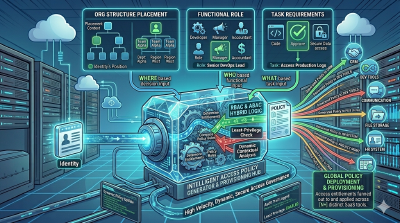
Flat, functional, divisional, matrix, and network organizations need different boundaries. How structure shapes dynamic access management for humans and agents.
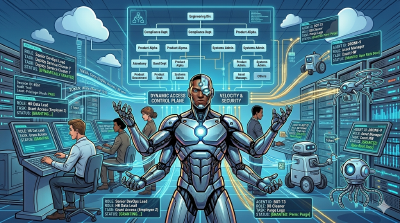
Ticket queues and static access are one problem seen from two sides. Why self-service provisioning inside boundaries turns from a productivity gain into a must.